
    SafetyLine Lone Worker

    The pages describe a cloud service in which lone workers check in on timers by app, web or phone, and a missed check-in, panic, shake, fall or no-motion event alerts the monitors the customer has set up. Monitors receive phone, text and email alerts, acknowledge them and record their response. GPS locations, messages and reports sit in a web portal, and Garmin and Globalstar satellite devices cover areas without cellular signal. The FAQ states a starting price of $15 per user per month, with no currency named.

    Evidence: Researched profile

    Built from vendor sources checked ; AI-assisted drafting. Documentation review, not a hands-on test. How pages are made

    Who is SafetyLine Lone Worker for?

    Organisations with mobile or remote staff and their own supervisors or safety staff to act on alerts, wanting automated check-ins on phones, landlines or satellite devices. Alerts go to monitors chosen by the customer; a vendor-staffed monitoring centre for the app is not described, and satellite SOS is described as reaching a 24/7 coordination centre. Geofencing is not described and the FAQ price names no currency.

    Watch for: Vendor-staffed monitoring is not described, so response is resourced by the customer.

    Published price: $15 per user per month, per the vendor's FAQ page (currency not named). Trial or demo on request. Sources checked .

    Product tour

    Vendor visuals—not a QHSEtech hands-on test.

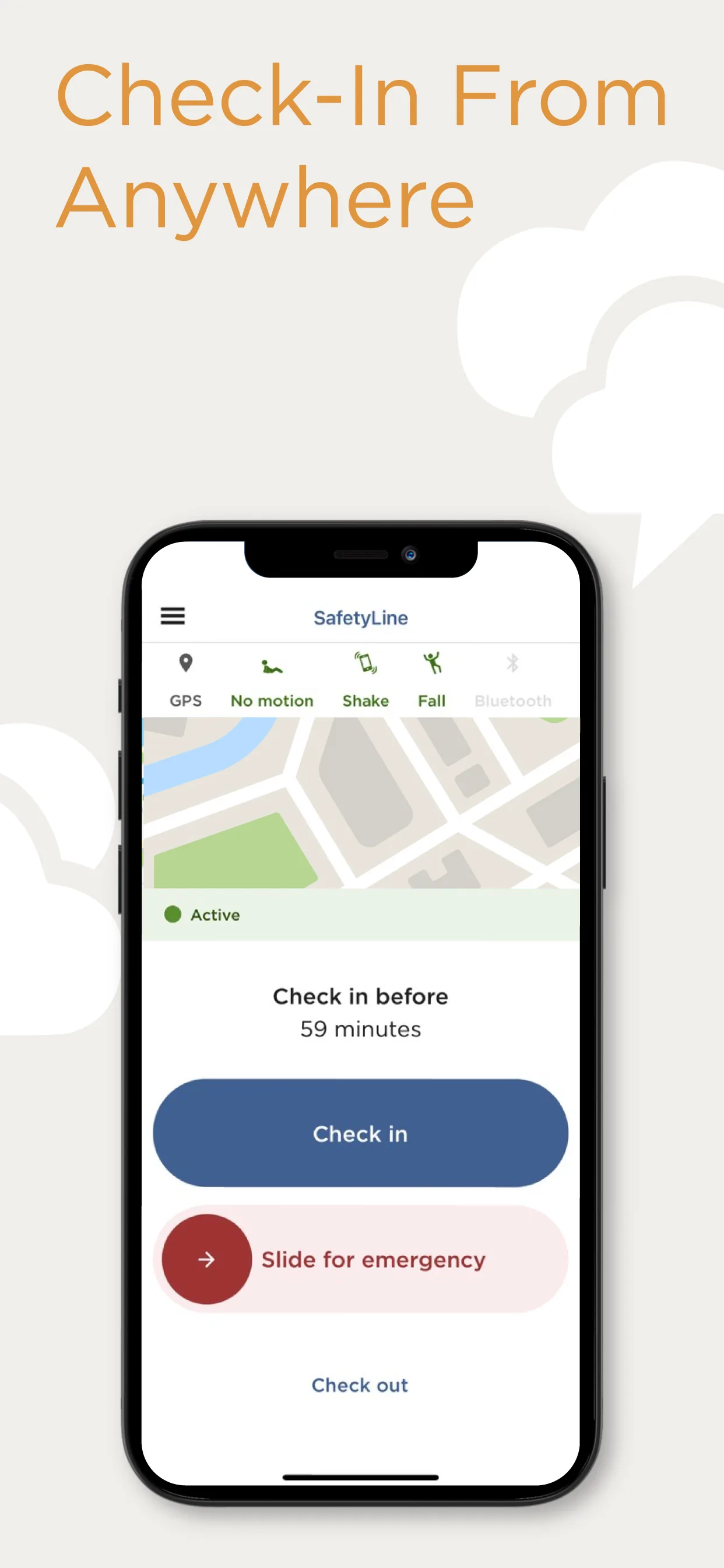
    Phone showing SafetyLine app with GPS, no motion, shake and fall icons, a map, a check-in countdown and emergency slider

    Mobile app check-in screen

    Source
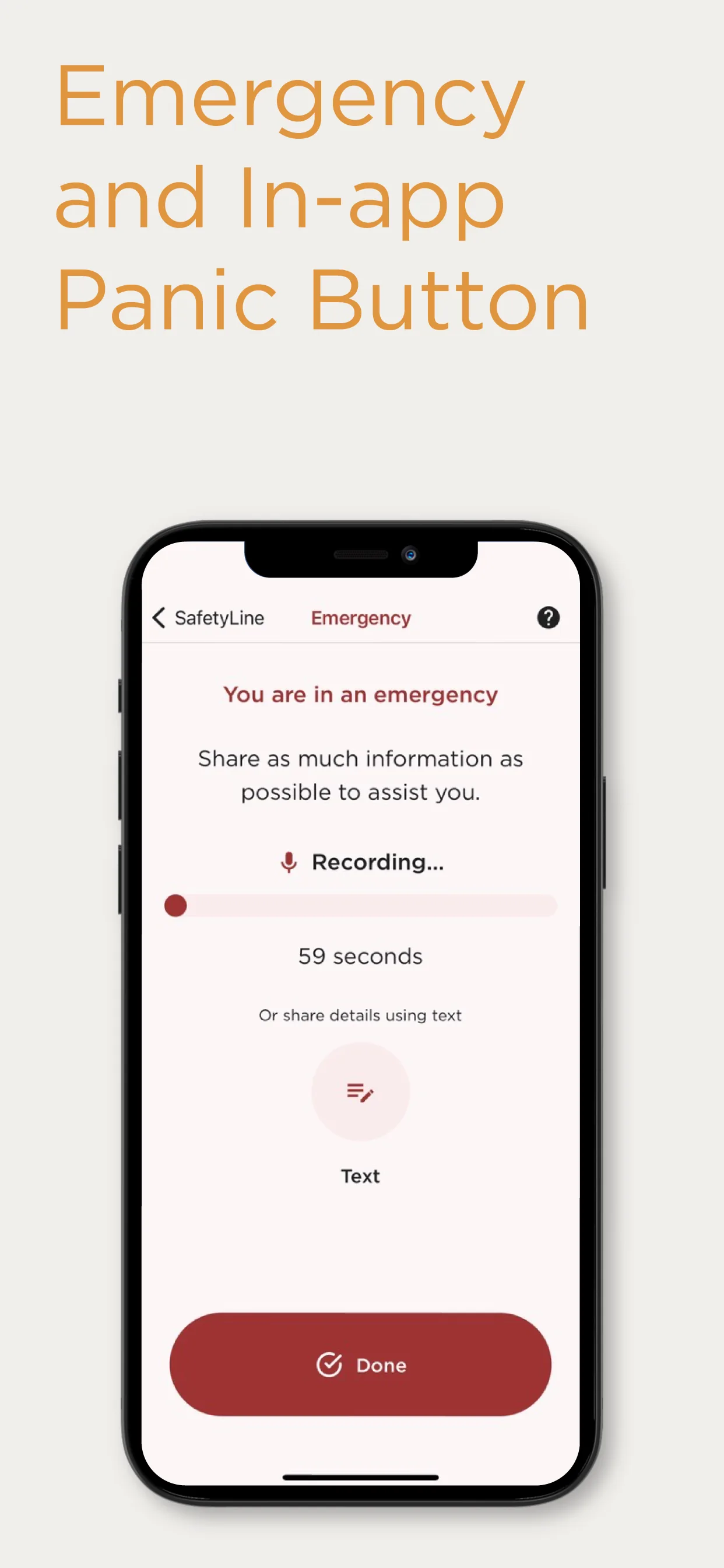
    Phone showing SafetyLine emergency screen with recording timer, a text option and a Done button

    Mobile app emergency screen

    Source

    Capabilities and scope

    SafetyLine Lone Worker is a cloud lone worker monitoring service from Tsunami Solutions Ltd, Vancouver, Canada, named as operator on the vendor footer and as seller in the App Store listing. This profile covers that service and its apps only. Lone worker check-in monitoring, alerting, location, voice and web access, and satellite device support, within the SafetyLine Lone Worker service.

    SafetyLine Lone Worker capabilities, evidence status and source links
    CapabilityEvidenceScope and source
    Check-in timers and missed check-in alertsDocumented by vendor

    Customer-set intervals, shorter for hazardous work, with reminders and an alarm when a worker does not respond. Default intervals are not stated.

    SafetyLine how it works page, checked 2 October 2026SafetyLine benefits and features page, checked 2 October 2026SafetyLine Lone Worker home page, checked 2 October 2026
    Phone, voice and web check-inDocumented by vendor

    A voice app calls after a missed check-in and answering resets the timer; workers can also dial in from basic phones, landlines or satellite phones, or use the web app.

    SafetyLine how it works page, checked 2 October 2026SafetyLine devices and solutions page, checked 2 October 2026SafetyLine frequently asked questions, checked 2 October 2026
    Escalation and alert routingDocumented by vendor

    Escalation can go to supervisors, safety staff or in-house monitoring teams; the help centre describes alerts by monitor priority until one acknowledges. Steps and timings are not stated.

    SafetyLine how it works page, checked 2 October 2026SafetyLine help centre guide for monitors, checked 2 October 2026
    Monitoring by customer-designated monitorsDocumented by vendor

    Monitors receive phone, text or email alerts, acknowledge by phone or web and document their response. The FAQ presents automation as an alternative to a call centre.

    SafetyLine help centre guide for monitors, checked 2 October 2026SafetyLine how it works page, checked 2 October 2026SafetyLine frequently asked questions, checked 2 October 2026SafetyLine devices and solutions page, checked 2 October 2026

    More capability notes

    8 additional areas. Status describes reviewed sources, not hands-on performance.

    Also watch for: Geofencing is not described, and integration details are limited to a list of names. Plan amounts are not on the pricing page and the FAQ price names no currency.

    SafetyLine Lone Worker pricing

    Per user per month starting price stated on the FAQ page; no plan amounts on the pricing page; custom pricing for enterprise deployments

    The FAQ page states a starting price of $15 per user per month, with onboarding, training and ongoing support included and custom pricing for enterprise deployments. It names no currency. The pricing page shows no plan amounts; its packages link leads to a page with no package content, and it mentions discounts for non-profit, government and Bell Mobility users. The How We Work page says minimum user requirements may vary by plan. The free-trial page offers a 30-day trial with no commitment, arranged by contacting the vendor. Confirm currency, minimum users, plan contents and renewal in writing.

    Separate pricing recheck date not recorded. Confirm current pricing with the vendor.

    Offline work and integrations

    Check-ins from landlines, payphones, Wi-Fi or a satellite device are described, and the FAQ says a lapsed timer still raises an emergency signal without a connection. App behaviour with no signal is not detailed.

    What we could not verify

    1 not verified · 3 depend on scope
    • Not verified in the sources: Geofencing.
    • Depends on plan or configuration: Satellite device support; Integrations; Security attestation.

    Demo script

    Proposed demo: missed check-in to resolved alert

    1. Create a worker, a group and two monitors with different priorities, and set a short check-in interval.
    2. Let a check-in lapse and follow the reminder, the monitor alerts and the order of escalation.
    3. Acknowledge as a monitor by phone and by web, record the response steps and resolve the event.
    4. Trigger a panic alert and a fall alert and review the location history and messages.
    5. Run a custom report on events, locations and messages and check which export options exist.

    Ask the vendor to show you

    1. Confirm the price per user per month, its currency, the minimum number of users and what each plan includes.
    2. Show a missed check-in end to end: who is called, in what order, and how acknowledgement and response are recorded.
    Use demo checklist

    Sources

    10 sources, checked

    Reviews on qhsetech.com

    Reviews may be filed under other names

    Also recorded as SafetyLine. Older entries under a previous name may describe a different release or owner.

    Star ratings and review counts from the old catalog are not shown: no source for them was recorded.