
Proposed demo: review a controlled detection sample
- Use approved sample footage with known events and non-events.
- Configure a zone and compare alerts with the reference labels.
- Assign an action and review the history and export.
Intenseye analyzes facility video to flag configured safety events for review and follow-up. Its portfolio combines detection, analytics and action management with optional enterprise workflows. Assess a representative camera view before extending deployment across a factory or warehouse.
Intenseye price on record: Custom quote; annual subscription per connected camera · No amount published · Pricing checked · See pricing
Built from vendor sources checked ; AI-assisted drafting. Documentation review, not a hands-on test. How pages are made
Industrial teams with recurring visual hazards and resources to investigate detected events. Computer-vision detections, pSIF scores, AI explanations and coaching suggestions are decision support and can miss or misclassify events because of camera angle, lighting, occlusion, scene changes and rule configuration. Do not treat alerts, speakers, PLC commands or the marketed hard-stop response time as a certified safety function or substitute for guards, interlocks, lockout/tagout, procedures and competent supervision. Validate privacy, worker consultation, retention and legal basis, and measure false positives and false negatives against an approved site-specific reference set.
Worth evaluating when video review can reveal recurring hazards that your team has capacity to address. Compare the complete deployment cost with a measured pilot baseline; projected avoided incidents are not guaranteed savings.
Trial or demo on request. Sources checked .
Vendor visuals—not a QHSEtech hands-on test.
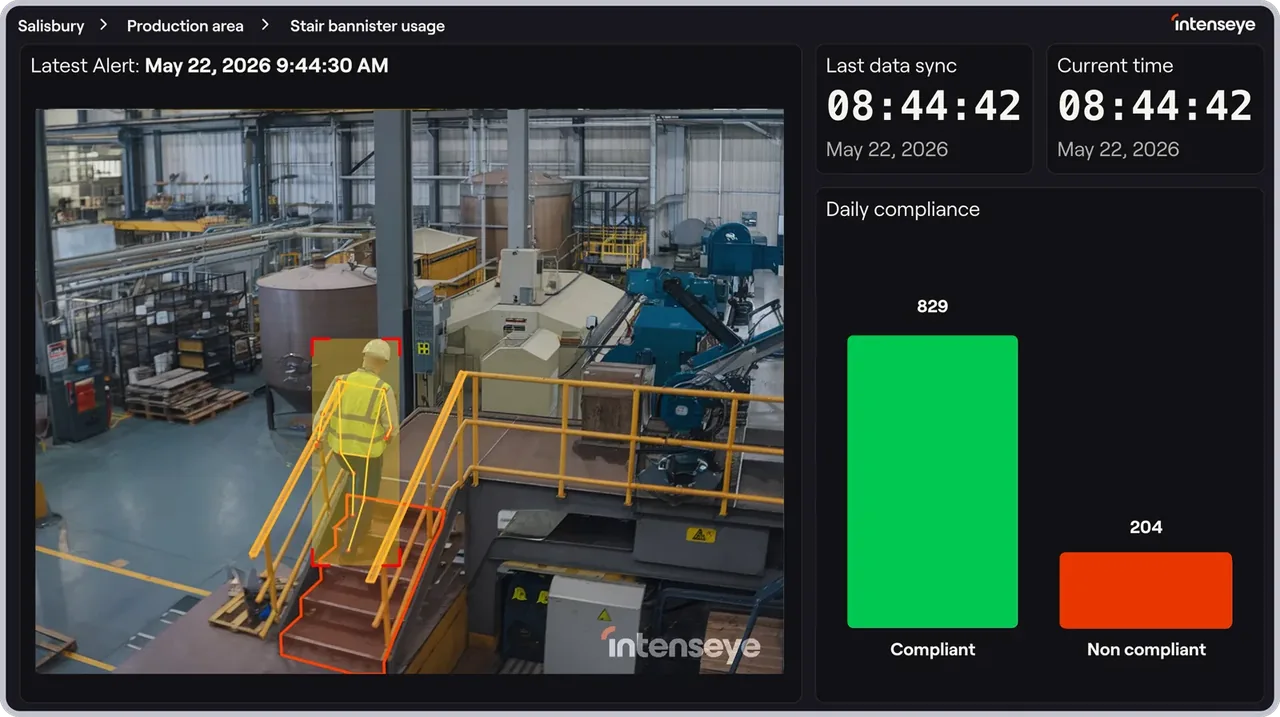
Intenseye combines camera analysis with safety software and Sentinel hardware. Prevent, Connect and EHS Suite have different commercial scopes.
| Capability | Evidence | Scope and source |
|---|---|---|
| Configured visual detection | Documented by vendor | Product materials cover PPE, vehicle interactions and restricted areas; accuracy must be evaluated on the intended scene. Current product overview |
| Ergonomic screening | Documented by vendor | Video-based REBA and RULA analysis supports identifying tasks for professional assessment, not a medical diagnosis. Ergonomics product |
| Privacy controls | Depends on scope | Face and body masking and retention settings are described. These controls do not prove that all processing is anonymous or eliminate personal-data obligations. Privacy and retention controls |
| Enterprise API and routing | Depends on scope | Connect describes REST APIs, webhooks, identity providers and EHS links. Confirm licensed endpoints and implementation ownership. Enterprise connections |
| Incident and inspection workflows | Documented by vendor | The separately scoped EHS Suite documents incident and near-miss templates, evidence capture, audit tracking, 5 Whys and fishbone RCA, assigned corrective actions and a verified-closure state. The page does not establish that a different person must perform verification. Separate EHS Suite |
| Disconnected operation | Not verified | Edge deployment alone does not establish the availability of every workflow during an outage. |
| Existing-camera compatibility and on-site edge processing | Depends on scope | Intenseye states compatibility with about 90% of IP cameras across more than 200 brands and describes Sentinel Hub processing on-site without a cloud video round trip. Compatibility percentages do not guarantee a camera passes the site survey; validate resolution, frame rate, field of view, network, retention and edge capacity for every scene. AI safety monitoring architecture and camera compatibility |
| Corrective actions, routing and coaching | Depends on scope | Actions can turn detections into tasks with a clip, owner, due date, routing and update history, and can support coaching content and camera-based verification. Confirm the module, reviewer roles, escalation, reopening, independent effectiveness checks and whether camera verification is appropriate for each corrective action. Corrective actions, routing and coaching workflows |
| Spatial heatmaps and movement pathways | Depends on scope | Visual Analytics documents anonymized density heatmaps and movement pathways filtered by event, use case and object. Counts and tracks are AI estimates; validate overlap handling, camera changes, blind spots, retention and before/after comparability before using them for layout or operational decisions. Visual Analytics heatmaps and movement pathways |
| Chief AI analysis and reporting | Depends on scope | Chief is presented as an EHS-trained AI assistant using Intenseye safety data and uploaded reports to answer questions, produce cited charts, draft reports and coaching plans and schedule summaries. Confirm entitlement, model providers, prompt and upload retention, permissions, citations, hallucination controls, human review and whether customer data is used beyond the customer's instance. Chief AI safety assistant and agent scope |
| REST API and structured-data export | Depends on scope | Official API documentation provides an HTTPS v2 API using API-key authentication, while Connect advertises REST, webhooks and feeds to EHS, BI, identity and collaboration systems. Confirm licensed endpoints, scopes, rate limits, key rotation, pagination, delivery guarantees, replay and operational monitoring. Official REST API overview and authenticationEnterprise connections |
| Point-of-risk warnings and OT intervention | Depends on scope | Intenseye describes speakers, visual signals and PLC or OT commands that can warn workers or stop machinery after a detection. This is not evidence of a safety-rated control system. Require a site hazard analysis, deterministic latency and failure testing, fail-safe design, proof testing, bypass management and independent safeguards before any safety-critical use. Safety detection, intervention and follow-up scopeEnterprise connections |
1 additional areas. Status describes reviewed sources, not hands-on performance.
Also watch for: No public numeric subscription verified. Deployment scope needs a written proposal. Detection and workflow suitability require local evaluation.
Custom quote; annual subscription per connected camera
On 2 October 2026 the pricing page shows no amount. Prevent is one annual subscription per connected camera covering the full safety detection library, with Chief, Insights and Actions included; Connect and EHS Suite are optional modules at an annual flat fee; Sentinel hardware (Hub Mini, Hub Pro and cameras) is scoped separately and can be bought as opex, capex or both. The pricing FAQ says there are no per-incident or per-use-case fees and that economics improve with term and scale. Request hardware, installation, camera count, modules, renewals and support in one proposal.
Pricing sources checked : Selected sources checked; no starting price recorded. Official commercial pages reviewed. No numeric subscription or unrestricted free trial established; request a scoped proposal and clarify any paid pilot.
Intenseye combines camera-based hazard detection with separately scoped Actions, Insights, Visual Analytics, Chief, Connect, Ergonomics, EHS Suite and Sentinel hardware. Connect can route events to enterprise and operational systems, while certain configurations can trigger speakers, visual signals or machine interventions. Each software module, camera, edge device, integration, EHS workflow and intervention path must be itemized and validated for the site.
Ask the vendor to identify the product, region, modules, billing unit, contract term and included services in writing.
Specify which functions must survive WAN loss and demonstrate recovery.
Connect is designed to route information into existing systems. EHS Suite adds workflows, but its scope should be compared with your current incident, audit and inspection requirements.
No. The published controls include masking and retention policies, but the full deployment still needs a data-flow and access review. Ask what is retained, exported and visible to each role.
The ergonomics product describes REBA and RULA analysis. Validate representative tasks with an ergonomics specialist, including occlusion and camera-angle limitations.
No. Computer vision depends on visibility, scene conditions, configuration and model performance. Establish site-specific precision and recall with known events and repeat testing after camera, rule or model changes.
No such replacement is established. Treat it as an additional layer unless a qualified safety assessment proves otherwise, and retain independent guards, interlocks, procedures and fail-safe controls.
No. They are AI-assisted outputs that require source review, competent human judgment and documented approval. Test citations, edge cases, overrides and access boundaries with representative data.
No. Video frames, clips, timestamps, locations and event metadata can still concern identifiable workers or employment monitoring. Review legal basis, consultation, transparency, access, retention, transfers and deletion for the actual deployment.
Drawn from the profiles behind the Alternatives list above: most category tags shared with Intenseye first, then the closest overlap in documented capability names, then A to Z. Ratings, search demand and sponsorship are not used; rows are shown A to Z.
Shared category tags: 3 (EHS Management, Risk Assessment, others).
Same: scope, offline, price and trial.
This site does not currently collect reader reviews. Star ratings and review counts from the old catalog are not shown: no source for them was recorded.