
    QHSEtech

    Microsoft Sustainability Manager

    Microsoft Sustainability Manager brings environmental inputs into a common model for calculation and analysis. Buyers should assess the reporting team, tenant administration and data integration work together rather than treating a tenant subscription as a complete implementation.

    Evidence: Researched profile

    Built from vendor sources checked ; AI-assisted drafting. Documentation review, not a hands-on test. How pages are made

    Who is Microsoft Sustainability Manager for?

    Organisations with Microsoft platform skills that want managed environmental data imports and configurable emissions calculations. Confirm the tenant plan, user licences, Dataverse capacity, Power Platform or Microsoft 365 Copilot entitlements, implementation services and regional availability together. Preview features—including data export, some approval/traceability functions and Copilot skills—are not production commitments. Factor selection, mappings, calculations and AI-generated reporting content require human governance and do not by themselves provide assurance or regulatory compliance.

    Worth considering when existing Microsoft administration and integration skills reduce delivery effort. Compare the complete tenant, capacity and implementation cost with a narrower carbon tool if the immediate requirement is only a small annual footprint.

    Published price: US$4,000 per tenant/month (Essentials). Free trial documented. Sources checked .

    Product tour

    Vendor visuals—not a QHSEtech hands-on test.

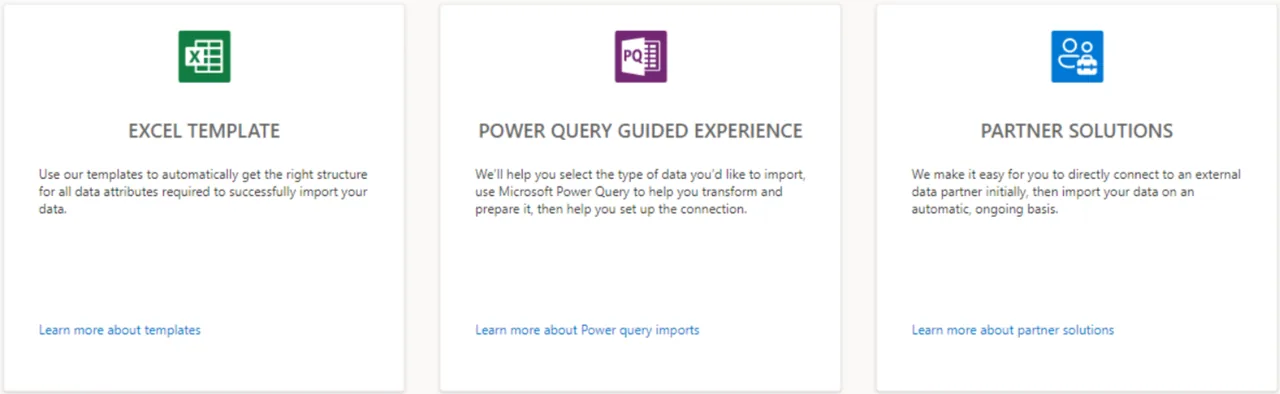
    Three cards named Excel Template, Power Query Guided Experience and Partner Solutions with short descriptions

    Data import options: template, Power Query, partner

    Source
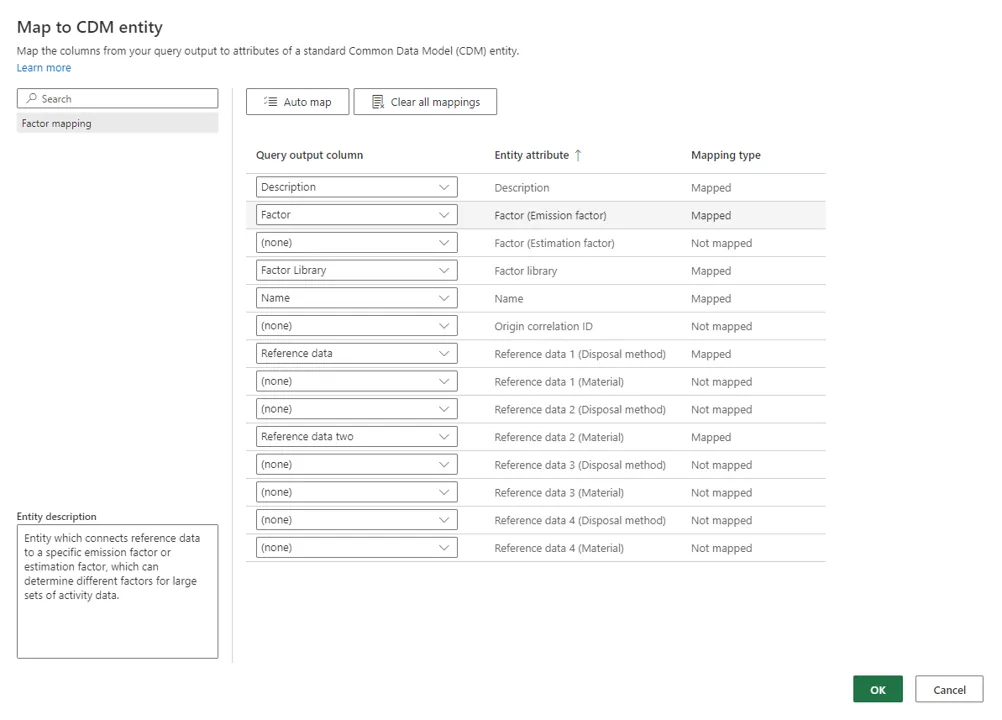
    Map to CDM entity dialog listing query output columns, entity attributes and mapping status for emission factor data

    Mapping query columns to a factor entity

    Source
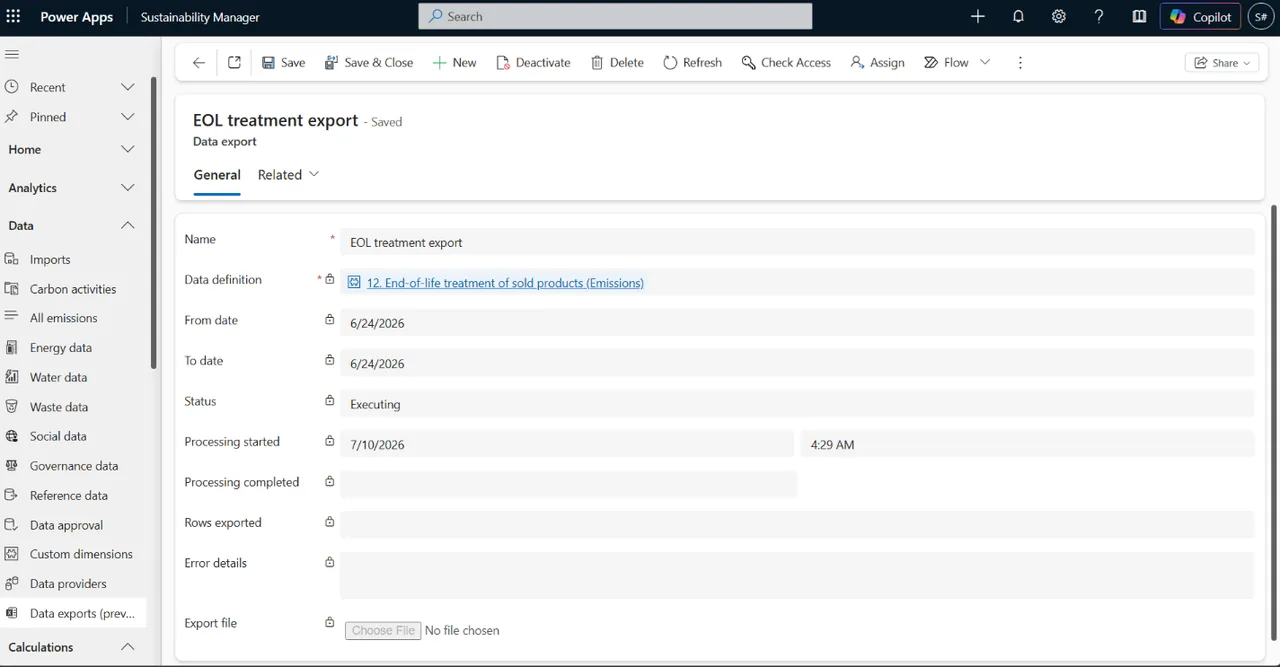
    Power Apps form for a data export named EOL treatment export with data definition, dates, status Executing and an export file field

    Data export job record (preview feature)

    Source

    Capabilities and scope

    Microsoft Sustainability Manager is a sustainability application with Essentials and Premium plans. It is distinct from the wider Microsoft for Sustainability portfolio; adjacent products and services are not automatically included. Microsoft Learn now names the product Dynamics 365 Sustainability and states that Microsoft Sustainability Manager has been rebranded, as a new product name only, with functionality, capabilities, licensing and service offerings unchanged; the Microsoft product page still uses the earlier name. Microsoft Sustainability Manager Essentials and Premium cover environmental data ingestion, emissions calculations, carbon/water/waste analytics, goals and plan-dependent reporting capabilities. External reporting, Copilot and several advanced controls have separate plan, preview or enablement boundaries; adjacent Microsoft for Sustainability products are not automatically included.

    Microsoft Sustainability Manager capabilities, evidence status and source links
    CapabilityEvidenceScope and source
    Structured data importDocumented by vendor

    Excel templates, Power Query, provider connectors and manual entry are documented.

    Data import methods and reporting periods
    Calculation configurationDocumented by vendor

    Setup covers organisation structure, reference data, factors, calculation models and activity inputs before running calculations.

    Configuration and calculation setup
    Scope 3 plan boundaryDepends on scope

    Essentials can ingest precalculated emissions for categories 10, 11, 14 and 15; calculations from underlying activity and reference data require Premium.

    Plan scope and licensing
    Reporting period controlsDepends on scope

    Closed periods restrict changes. Documentation flags an OCID-related limitation that can update a closed-period record through an open-period import; test this before relying on period locking.

    Data import methods and reporting periods
    Import permissionsDepends on scope

    Import access can be organisation or business-unit scoped; guest users cannot import. Validate the contributor and administrator roles.

    Data import limitations
    Data approvalDepends on scope

    Approval staging is documented as preview and disabled by default. Confirm enabled data types and release suitability.

    Data import methods and reporting periods
    Calculation models and Power FxDocumented by vendor

    Calculation models combine activity data with emission or water factors through condition, calculation and report steps. Power Fx supports custom logic, but Microsoft documents unsupported functions and recommends separate conversion and arithmetic steps; validate every custom model against a controlled sample.

    Calculation models, model steps and Power Fx boundaries
    Factor-library governanceDepends on scope

    The product supports default, custom and demo factor libraries plus emission, estimation and factor-mapping workflows. Demo factors are for demonstration, and Microsoft states its distributed defaults are not the only standards; buyers remain responsible for the appropriate source, version and mapping.

    Emission, estimation and custom factor libraries
    Scorecards and goalsDocumented by vendor

    Teams can create owned scorecards and goals, enter or derive current and target values, and update goal status manually or from connected data. Marking an SBTi-aligned goal is a data field, not independent target validation.

    Scorecards and sustainability goals
    Water quantity analyticsDocumented by vendor

    The water dashboard reports withdrawal, discharge, calculated consumption and recycled water by reporting period, facility, geography and organisational unit, with a water-stress filter. Confirm source completeness and the suitability of the built-in consumption formula for the organisation's methodology.

    Water quantity dashboard and supported measures
    Dataverse role-based accessDepends on scope

    Microsoft documents organisation- and business-unit-scoped roles for full, read-only, ingestion and reporting access. Embedded Power BI dashboard and insight views do not inherit every Dataverse business-unit restriction, so test sensitive-data visibility separately.

    Dataverse user roles and access boundaries
    Record traceability with OCIDDepends on scope

    Origin correlation IDs can link imported records to their source and help identify duplicates and changes; primary or record-specific keys apply where OCID is absent. Traceability depends on consistently populated identifiers and governed upstream values.

    Data traceability and origin correlation ID guidance

    More capability notes

    2 additional areas. Status describes reviewed sources, not hands-on performance.

    Also watch for: Related capacity and implementation costs require scoping. Some advanced capabilities remain labelled preview.

    Microsoft Sustainability Manager pricing

    Tenant subscription with required user licences

    Entry price as recorded: US$4,000 per tenant/month (Essentials).

    Pricing sources checked : Checked against the vendor's published pricing.

    The Microsoft Sustainability Manager pricing page has 2 published prices (unit, term, minimum and source).

    See the full Microsoft Sustainability Manager price table →

    Offline workflow unverified

    Do not assume disconnected field inspection support; ask for a demonstration of any proposed offline workflow.

    What we could not verify

    9 depend on scope · 2 notes

    Demo script

    Demo exercise: import-to-calculation reconciliation

    1. Load a small activity file with a deliberate missing mapping.
    2. Correct the import and show the factor and calculation model used.
    3. Reconcile calculated emissions with a manually checked sample.
    4. Repeat the import to inspect record uniqueness and revision behaviour.

    Demo exercise: plan and period boundaries

    1. Use one Scope 3 category needed by your business to compare proposed plan rights.
    2. Close a reporting period and attempt an authorised correction.
    3. Test the documented correlation-ID limitation with safe sample data.
    4. Estimate storage growth and produce a complete licensing quote.

    Demo exercise: source-to-result lineage and factor governance

    1. Import a representative activity record with a stable origin correlation ID and retain its upstream source evidence.
    2. Map it to the sustainability data model and identify the exact factor library, factor version and calculation-model steps.
    3. Run the calculation, reconcile gases and units to an independently checked sample, and inspect duplicate handling on re-import.
    4. Change one governed input in a sandbox and demonstrate the approval, change record and downstream result difference.
    5. Export the scoped records only if the preview feature is acceptable, then verify that the handoff preserves the evidence needed by the assurance team.

    Ask the vendor to show you

    1. Which tenant plan, user SKUs, Power Platform or Microsoft 365 Copilot licences and additional services are required for our exact design?
    2. Which Scope 3, reporting-metric, external-reporting and value-chain scenarios require Premium or another Microsoft product?
    3. Show an end-to-end lineage test from source record and OCID through mapping, factor, calculation and exported result.
    4. Which capabilities in the proposed design are preview, disabled by default, region-limited or scheduled for retirement?
    5. How do Dataverse business-unit roles interact with embedded Power BI dashboards and insights?
    6. Which factor libraries are production-approved for our jurisdictions, and who owns updates and calculation-model change control?
    Use demo checklist

    Questions the sources answer

    Does Essentials calculate every Scope 3 category?

    No. Its treatment of precalculated emissions differs from activity-based calculation for four categories. The capability table identifies this boundary so your team can check its actual inventory requirements.

    Can I try Microsoft Sustainability Manager?

    Microsoft documents a 30-day free trial with sample data. Trial access covers most Premium features, so verify which workflows remain available in your intended paid plan.

    Does Microsoft Sustainability Manager remove data preparation work?

    Imports must conform to the sustainability data model. Power Query can support transformation, but factor mappings, permissions and source quality still need implementation work.

    Can Microsoft Sustainability Manager create custom emissions calculations?

    Yes. Microsoft documents configurable model steps and Power Fx for calculations beyond a simple quantity-times-factor pattern. Unsupported functions, units, factors and mappings still require design, testing and change control.

    Are Microsoft-provided emission factors automatically suitable for every inventory?

    No. Microsoft distinguishes default, custom and demo libraries and says its defaults are not the only standards. Select, version and document factors according to the inventory boundary, jurisdiction and assurance method.

    Does role-based access also restrict every dashboard view by business unit?

    Not necessarily. Microsoft states that Dataverse security roles do not apply to Power BI views in the same way; dashboards and insights have documented organisation-scope limitations. Demonstrate visibility with real role personas before approval.

    Can exported data be treated as an audit-ready or regulator-ready filing?

    The documented export is a preview Excel extraction for sharing or downstream use. It does not replace source evidence, methodology documentation, controls, assurance or the required filing format.

    Is Copilot included and production-ready for every user and region?

    No. The Sustainability Manager Copilot capabilities are documented as Premium preview, English-only at the reviewed date and unavailable in at least one listed region, with possible cross-region processing. Confirm current availability, licences and data terms.

    Does Sustainability Manager provide a defensible data trail automatically?

    It provides identifiers and platform controls that can support traceability, but the organisation must populate stable OCIDs, govern source mappings and factors, assign roles and preserve evidence. Tool availability alone does not establish a complete control framework.

    Sources and change log

    15 sources, checked

    Compare with

    Drawn from the profiles behind the Alternatives list above: most category tags shared with Microsoft Sustainability Manager first, then the closest overlap in documented capability names, then A to Z. Ratings, search demand and sponsorship are not used; rows are shown A to Z.

    • Diligent ESG

      Shared category tags: 2 (ESG Reporting, Carbon Accounting).

      Differs: price no verified amount (this profile: amount published); trial not established (this profile: free trial documented).

      Same: scope and offline.

    • IBM Envizi

      Shared category tags: 2 (ESG Reporting, Carbon Accounting).

      Differs: trial not established (this profile: free trial documented).

      Same: scope, offline and price.

    • Position Green

      Shared category tags: 1 (ESG Reporting).

      Differs: price no verified amount (this profile: amount published); trial not established (this profile: free trial documented).

      Same: scope and offline.

    All Microsoft Sustainability Manager alternatives

    Reviews on qhsetech.com

    Reviews may be filed under other names

    Also recorded as Microsoft Sustainability Manager Essentials, Microsoft Sustainability Manager Premium. Older entries under a previous name may describe a different release or owner.

    Star ratings and review counts from the old catalog are not shown: no source for them was recorded.