
    QHSEtech

    GoAudits

    GoAudits focuses on completing inspections and turning findings into reports and action plans. Evaluate a repeated site check, including disconnected mobile capture, office review and evidence of corrective work. Confirm the tier needed for permissions and scheduled audits.

    Evidence: Researched profile

    Built from vendor sources checked ; AI-assisted drafting. Documentation review, not a hands-on test. How pages are made

    Who is GoAudits for?

    Teams standardizing repeatable site inspections and corrective-action follow-up. Prepare current mobile settings before disconnecting and confirm the purchased plan after an Enterprise trial. External action assignees are not equivalent to full licensed inspection users.

    In our editorial judgment, GoAudits may be worth its quoted price when repeatable inspections and action follow-up fit the selected plan's site and checklist scope. It is less suitable if the team expects Starter to include advanced permissions or needs an unverified disconnected browser workflow.

    Watch for: Advanced permissions and scheduling need Enterprise.

    Free trial documented. Sources checked .

    Product tour

    Vendor visuals—not a QHSEtech hands-on test.

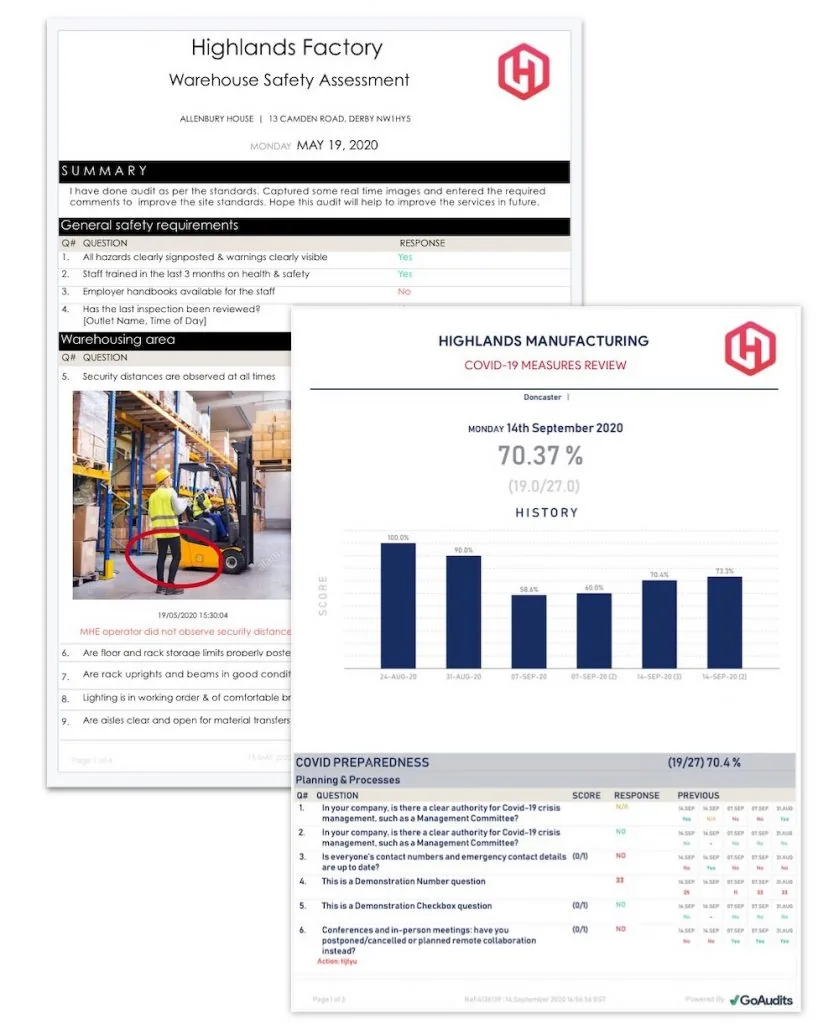
    GoAudits generated warehouse safety assessment and manufacturing performance reports

    Generated inspection reports

    Source
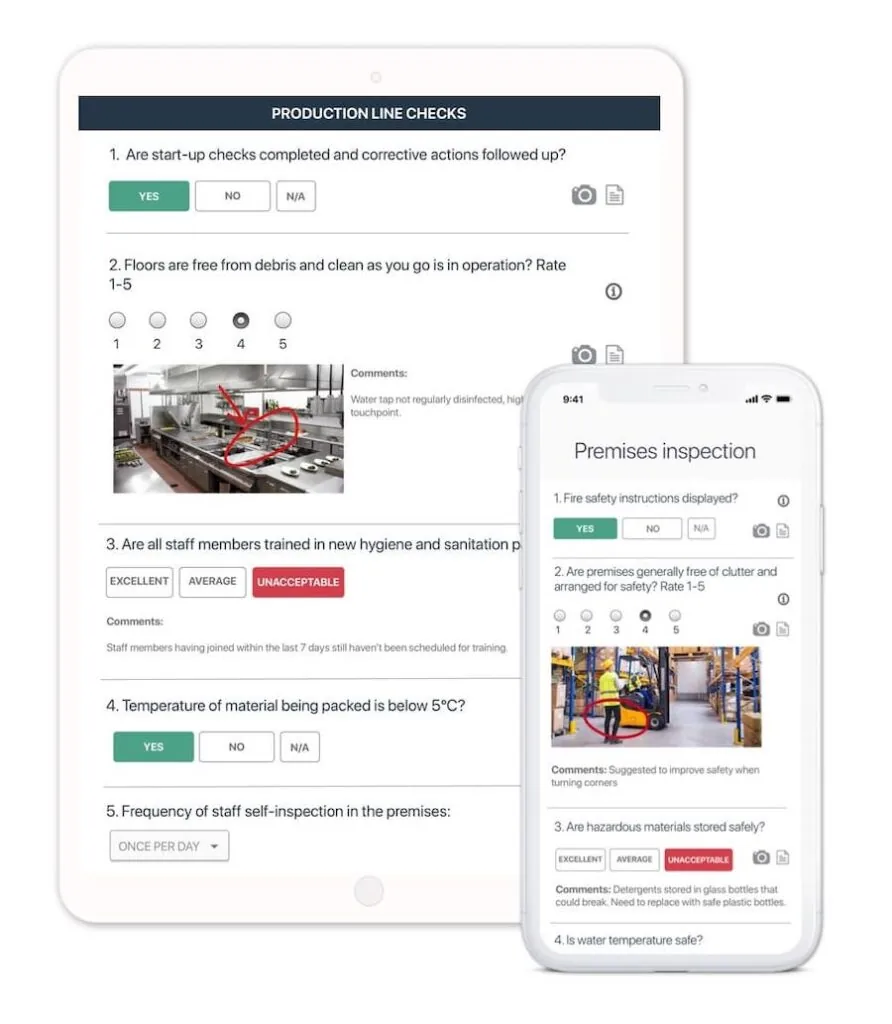
    GoAudits production-line inspection checklist displayed on tablet and phone

    Mobile production-line audit

    Source
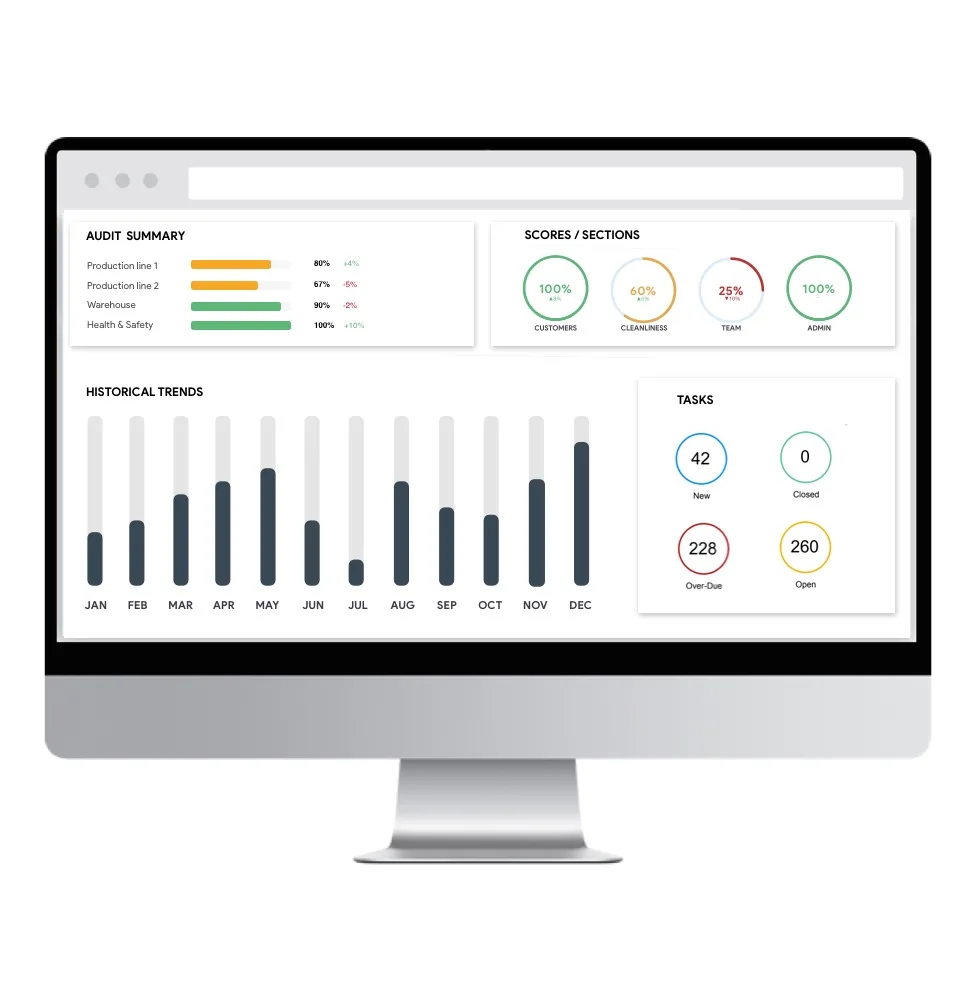
    GoAudits performance dashboard with audit summaries, section scores, historical trends and task counts

    Audit performance dashboard

    Source

    Capabilities and scope

    GoAudits combines an administration portal, mobile inspection app and browser app. Starter and Enterprise have different access and reporting controls. Checklist inspections, reports and action plans with tier-dependent roles, scheduling and analytics.

    GoAudits capabilities, evidence status and source links
    CapabilityEvidenceScope and source
    Prepared offline mobile inspectionsDocumented by vendor

    Offline mobile use is documented. New or changed portal settings must be imported while connected before field use.

    Mobile and browser surfacesImport mobile settings
    Audit synchronization and reportingDocumented by vendor

    Help describes synchronizing completed or in-progress audits through Preview Report, then completing and sharing. Verify server receipt and attachments rather than assuming every upload is automatic.

    Synchronize audit data
    Reviewer-controlled action closureDepends on scope

    When approval is enabled, assignees submit photos/comments for review and an approver can approve or reject. Confirm configured roles and purchased tier; disconnected approval is unverified.

    Action approval workflowPlans and limits
    External action participationDocumented by vendor

    The workflow page describes unlimited external or occasional action assignees using an emailed link without a dedicated login or paid licence. This is not unrestricted inspection-user access.

    External action assignees
    Plan-specific site and checklist scopeDepends on scope

    Starter lists one company, 25 sites and 10 checklist templates. Enterprise expands those limits and adds roles, scheduling and advanced reporting. Trial scope is not Starter entitlement.

    Plans and limits
    Photo evidence limitsDepends on scope

    Pricing lists two images per question for Starter and four for Enterprise, with additional Enterprise capacity by enquiry. Confirm the required evidence format and limits in the proposal.

    Plans and limits
    Conditional forms and automatic scoringDocumented by vendor

    The mobile auditing page describes IF-THEN logic, mandatory and default field behaviour, and automatic scoring displayed in reports. Test the proposed branching and scoring rules with representative edge cases rather than assuming a template is already configured.

    Mobile auditing, smart forms and evidence capture — checked 29 September 2026Plans and limits
    Attributed field evidenceDocumented by vendor

    The auditing page documents photo attachment and annotation, e-signatures, timestamps and geolocation during inspections. These are captured evidence fields, not proof of regulated digital-signature compliance, tamper-evident custody or guaranteed location accuracy.

    Mobile auditing, smart forms and evidence capture — checked 29 September 2026
    Scheduled and assigned audit monitoringDepends on scope

    GoAudits describes bulk scheduling and assignment by person or location, notifications, and tracking of completed, in-progress and overdue audits. Pricing places scheduling and notifications in Enterprise, so confirm recurrence, timezones, reassignment and entitlement.

    Mobile auditing, smart forms and evidence capture — checked 29 September 2026Plans and limits
    Branded reports and rules-based distributionDepends on scope

    The reports page describes reports built from captured evidence, with customizable layouts and rules-based email distribution. Pricing distinguishes report templates and distribution and lists Word or Excel reports for Enterprise; confirm format, recipients and plan.

    Instant reports and automated distribution — checked 29 September 2026Plans and limits
    Harness and fall-arrest inspection templatesDocumented by vendor

    GoAudits publishes harness checklists in its public library. One covers webbing, hardware, stitching, labels and whether the product inspection date is current. The other asks about the type of fall arrest system, the rating of an engineered tie-off point and whether the user has had emergency-procedure training. Both sit in the vendor's mobile inspection app, which it says supports offline use, photos and follow-up tasks. The pages do not describe a per-item equipment register, automatic expiry reminders for individual harnesses or a rescue plan.

    Harness and fall-arrest inspection templates, checked 1 October 2026Harness and fall-arrest inspection templates (2), checked 1 October 2026

    GoAudits pricing

    Starter and Enterprise; confirm currency and minimum seats

    First listed price: $10 per user, per month (Starter).

    Pricing sources checked : Checked against the vendor's published pricing.

    The GoAudits pricing page has 2 published prices (unit, term, minimum and source) and 9 Audits & Inspections products priced in the same unit.

    See the full GoAudits price table →

    Mobile offline capture; synchronization requires connectivity

    The mobile app supports offline inspections, while the browser app is a separate surface. Official help requires an internet connection and Import Settings to pull new or changed checklists, locations and permissions from the portal. A separate help procedure uses Preview Report to synchronize completed or in-progress audit data to the cloud, followed by Complete and Share. Verify the current app behavior after reconnection.

    What we could not verify

    5 depend on scope · 2 notes

    Demo script

    Proposed demo: revised checklist before disconnected work

    1. Change a checklist and site permission in the portal, then use Import Settings while online.
    2. Disconnect and perform an inspection with the allowed photo evidence.
    3. Reconnect and demonstrate synchronization, report generation and receipt on a second device, including a failed-upload retry.

    Proposed demo: external action and reviewer rejection

    1. Assign a finding to an external person using the proposed email-link access.
    2. Have that assignee submit a photo and comments with approval enabled.
    3. Reject insufficient evidence, submit a correction and approve it; inspect the retained record and access boundary.

    Proposed demo: paid-plan scope after the trial

    1. Use the proposed paid tier with representative companies, locations, templates and full inspection users.
    2. Check photo limits, permissions and scheduled audits rather than relying on Enterprise trial access.
    3. Export the agreed reports and obtain written currency, paid-seat minimum, billing period and any SSO costs.

    Ask the vendor to show you

    1. Prepare a checklist, disconnect the mobile device and complete it with photos; verify the server record after reconnecting.
    2. Assign a failed item and have a different person review evidence before closure.
    3. Demonstrate the proposed roles and scheduled audit access in the purchased tier.
    4. Quote currency, paid-seat minimum, sites, checklists, SSO and onboarding separately.
    5. Show the supported recovery procedure after an interrupted upload, and how we verify receipt before resetting or replacing the device.

    Checks specific to this product

    Plan and location boundary:
    Map companies, sites, templates and image requirements to the purchased plan. Separate trial access from ongoing entitlement.
    Use demo checklist

    Questions the sources answer

    Does the trial include Enterprise?

    The official pricing page offers 14 days with Enterprise features and no credit card. Confirm the paid plan required to retain the workflows demonstrated during the trial.

    What must be prepared before offline use?

    Import Settings requires internet access and pulls checklist, location and permission changes from the administration portal. Test the intended inspection while disconnected after that preparation.

    Is synchronization always automatic?

    The help procedure documents Preview Report as a way to synchronize completed or in-progress audits to the cloud. Demonstrate the current app and confirm receipt rather than relying only on a general automatic-sync claim.

    Can a supervisor reject corrective evidence?

    With action-plan approval enabled, an assignee submits pictures/comments for approval and a reviewer can approve or reject. Confirm the configured workflow and purchased tier; offline review was not established.

    Does the browser app also work offline?

    The reviewed documentation specifically supports offline inspection in the mobile app. Offline browser administration and disconnected email-link actions were not established.

    Does synchronizing an in-progress audit mark it complete?

    The help procedure allows Preview Report to synchronize an in-progress audit, followed by a separate Complete and Share step. Treat upload, audit completion and corrective-action approval as distinct states; demonstrate the required sequence.

    Does submitting corrective evidence automatically close an action?

    When action-plan approval is enabled, the assignee submits pictures or comments for review instead of closing the action. The approver receives an email and can approve or reject; confirm the configured approver and escalation process.

    Sources and change log

    15 sources, checked

    Compare with

    Drawn from the profiles behind the Alternatives list above: most category tags shared with GoAudits first, then the closest overlap in documented capability names, then A to Z. Ratings, search demand and sponsorship are not used; rows are shown A to Z.

    • Easy to Inspect

      No shared category tag.

      Differs: offline unclassified (this profile: documented workflow).

      Same: scope, price and trial.

    • Lumiform

      Shared category tags: 1 (Mobile Forms).

      Differs: price no verified amount (this profile: amount published); trial not established (this profile: free trial documented).

      Same: scope and offline.

      Side by side: GoAudits and Lumiform
    • Resco Inspections & Audits

      Shared category tags: 1 (Mobile Forms).

      Same: scope, offline, price and trial.

    All GoAudits alternatives

    Reviews on qhsetech.com

    Star ratings and review counts from the old catalog are not shown: no source for them was recorded.