
Demo: maintenance inspection without coverage
- Build one equipment checklist with a defect photograph and signature.
- Prepare the device, disconnect and submit the record.
- Reconnect and compare the queued submission, server record and exported report.
FastField gives field teams configurable forms for inspections, maintenance visits and job records. Buyers can connect captured evidence with reports and office systems. It is a candidate for organizations that want to design their own operational forms rather than adopt a fixed inspection template.
FastField by Quickbase price on record: Core and Pro per seat; Enterprise quote · $24 per seat/month, annual option; confirm currency · Pricing checked · See pricing
Built from vendor sources checked ; AI-assisted drafting. Documentation review, not a hands-on test. How pages are made
Maintenance, construction and inspection teams needing configurable mobile evidence capture, especially where Quickbase already manages office records. Validate each configured workflow and its purchased entitlements. Native mobile offline collection does not establish disconnected browser forms or offline server integrations.
Worth considering when configurable field records remove repeated transcription and the proposed integration works with your office process. Compare total paid seats and setup effort with the time saved on a representative inspection; the lowest seat price alone does not establish value.
Watch for: In-progress drafts do not synchronize between apps or users. External browser submissions are a separate commercial scope.
Published price: $24 per seat/month, annual option; confirm currency. Free trial documented. Sources checked .
Vendor visuals—not a QHSEtech hands-on test.
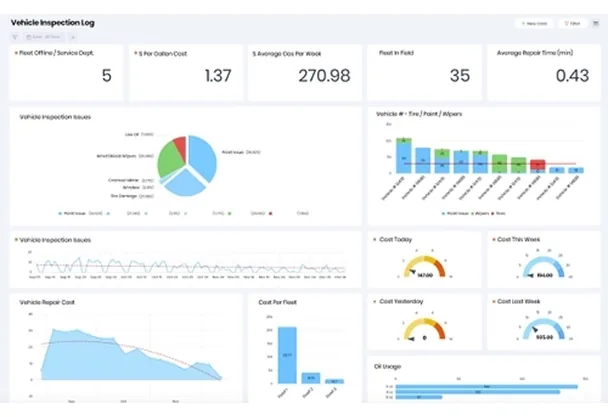
FastField is the mobile forms product in the Quickbase portfolio. Configurable mobile forms, evidence capture and field-to-office delivery. Scope external web forms and advanced integrations separately.
| Capability | Evidence | Scope and source |
|---|---|---|
| Configurable inspection forms | Documented by vendor | Custom forms support inspections, audits and checklists. The construction workflow page also describes safety inspections, JSAs and toolbox talks; review the actual field design, routing and approval steps with the intended crew. Form, media and reporting featuresConstruction safety forms, routing, dashboards and approvals : checked 28 September 2026 |
| Offline submission queue | Documented by vendor | The mobile app holds submitted records for synchronization when connectivity returns. Mobile app and offline behavior |
| Draft portability | Documented as unsupported | In-progress forms are not shared across apps or users; plan device handover accordingly. Mobile app and offline behavior |
| Media evidence and reports | Documented by vendor | Photo markup, video and audio capture, GPS or timestamp context, PDF or Word templates and automated report delivery are documented. Validate the proposed template, recipients and failed-delivery behavior. Form, media and reporting featuresReport templates, evidence context and automated delivery : checked 28 September 2026 |
| Quickbase integration | Depends on scope | SSO linking requires Quickbase accounts; user-token linking offers a different account model. Confirm the chosen method. Quickbase connection methods |
| External browser collection | Depends on scope | Web forms support link-based collection. Do not transfer mobile offline assurances to this channel. External web forms |
| Advanced connectivity | Depends on scope | The pricing page plan card places premium connections and API access in Pro, while its comparison grid shows premium integrations ticked in Pro and Enterprise only (a dash for Core) and API services and web hooks ticked in all three plans; confirm the entitlement in writing. Current plans and annual list amounts |
| Conditional form logic and calculations | Documented by vendor | Advanced Rules can evaluate multiple fields and trigger actions such as showing or hiding content, calculations and alerts without JavaScript. Complex rules still require controlled design and regression testing after form changes. Advanced form rules, calculations and conditional actions |
| Task dispatch with context and prefill | Documented by vendor | Administrators can dispatch a form to a user, group or external party with instructions, due date, status, priority, location, notification and prefilled values. Notifications are not sent to a User Group, so demonstrate the actual assignment and escalation design. Task dispatch, recipient, location and prefilled form data |
| Status-driven review and approval | Documented by vendor | Custom form statuses and Global Workflow can route a submitted form to reviewers and support approved, rejected or on-hold outcomes. Define who can change each status and test rejected-form return paths rather than assume a preconfigured CAPA process. Custom-status approval workflow configuration |
| Reference lists and private data delivery | Depends on scope | Lookup Lists can preload equipment, vehicle, customer or inventory reference data from CSV/XLSX. Direct Post can send submissions to a private endpoint, but data sent this way cannot use downstream custom workflows and integrations; validate the chosen architecture. Lookup lists for equipment, inventory and reference dataFastField cloud, Direct Post and downstream data-flow boundary |
Also watch for: Advanced integration requirements can move a buyer beyond Core.
Core and Pro per seat; Enterprise quote
Entry price as recorded: $24 per seat/month, annual option; confirm currency.
Pricing sources checked : Partially verified.
The FastField by Quickbase pricing page has 2 published prices (unit, term, minimum and source) and 9 Audits & Inspections products priced in the same unit.
Mobile submissions wait in the Sync folder until connectivity returns. In-progress drafts remain with the original user and app. Forced Work Offline mode suppresses synchronization and updates until switched off. Prepare and inspect the intended forms before departure, then verify server receipt after reconnecting.
Its native mobile app supports offline form collection. Use the Sync queue to distinguish a locally submitted record from confirmed server receipt.
It can collect configurable safety and inspection records. Ask the vendor to demonstrate your investigation, corrective-action and regulatory workflows before treating it as a complete EHS replacement.
Not under every connection method. The documented user-token integration differs from Quickbase SSO linking, so select and price the intended setup.
Run one real checklist through disconnected capture, supervisor review and report delivery. Include a lost connection and an unfinished draft in the demonstration.
Drawn from the profiles behind the Alternatives list above: most category tags shared with FastField by Quickbase first, then the closest overlap in documented capability names, then A to Z. Ratings, search demand and sponsorship are not used; rows are shown A to Z.
Shared category tags: 3 (Mobile Forms, Offline Inspections, others).
Same: scope, offline, price and trial.
Shared category tags: 1 (Mobile Forms).
Same: scope, offline, price and trial.
Shared category tags: 3 (Mobile Forms, Offline Inspections, others).
Same: scope, offline, price and trial.
Side by side: FastField by Quickbase and Kizeo FormsThis site does not currently collect reader reviews. Star ratings and review counts from the old catalog are not shown: no source for them was recorded.
Also recorded as FastField, FastField Forms, FastField Mobile Forms. Older entries under a previous name may describe a different release or owner.