GoCanvas

    Turn field forms into scoped digital workflows

    Vendor sources checked · Documentation review

    Mobile forms, field submissions and tier-dependent multi-user workflows, reporting and integration.

    This profile uses official documentation and editorial evaluation scenarios. It does not present firsthand product testing or a verified aggregate review score.

    Audit & Inspection

    Direct vendor link · Confirm demo access with the vendor

    Editorial review by Dimitris Mitsios

    Founder of The QHSE Standard; product marketing at Tekmon. LinkedIn

    Tekmon is a featured commercial partner. Disclosure and review scope

    At a Glance

    Best for

    Teams replacing repeated paper forms with configurable mobile submissions

    Standout

    Explicit tier boundaries for workflow features

    Watch out for

    Published dollar display does not explicitly resolve contract currency

    Pricing

    Confirm plan and scope

    Overview

    GoCanvas addresses field data entry and the handoff of completed forms. Evaluate the path from a dispatched inspection to a synchronized submission, then identify the tier required for reviewer participation and external data transfer.

    Workflows to evaluate

    Use these editorial scenarios in a permitted demonstration. They are evaluation exercises; no test results are implied.

    Proposed demo: a prepared disconnected shift

    1. Sync the intended forms and assignments, then confirm the approved credential timeout with the administrator.
    2. Complete a representative form offline with attachments and attempt the required end-of-shift action.
    3. Reconnect, sync and compare the received submission and PDF with the original evidence.

    Proposed demo: stale reference data and supervisor handoff

    1. Change one reference value or assignment while a test device is disconnected.
    2. Reconnect and show how the device receives updates before a new submission.
    3. Use the proposed workflow tier to demonstrate supervisor rejection, correction and final receipt.

    Proposed demo: submission to a back-office system

    1. Identify the proposed API tier and any custom integration charge.
    2. Map a completed form and attachments to the intended destination, then correct one field.
    3. Ask the vendor to demonstrate duplicate prevention, failed-transfer recovery and export at contract exit.

    Capabilities and plan scope

    Documentation describes availability; your demonstration establishes whether the proposed scope meets your requirement.

    GoCanvas capabilities, evidence status and source links
    CapabilityEvidenceScope and source
    Prepared offline form completionDocumented by vendor

    Complete forms disconnected and upload after connectivity returns; sync before departure and on return.

    Offline use and credential validation
    Offline credential windowDepends on scope

    Default validation window is 24 hours, configurable up to 30 days. Confirm the administrator-approved setting and device behavior.

    Offline use and credential validation
    Synchronization of field inputsDocumented by vendor

    Sync uploads completed submissions and receives forms, reference data and dispatch or workflow assignments. Check freshness before leaving coverage.

    What mobile synchronization transfers
    Multi-user handoffsDepends on scope

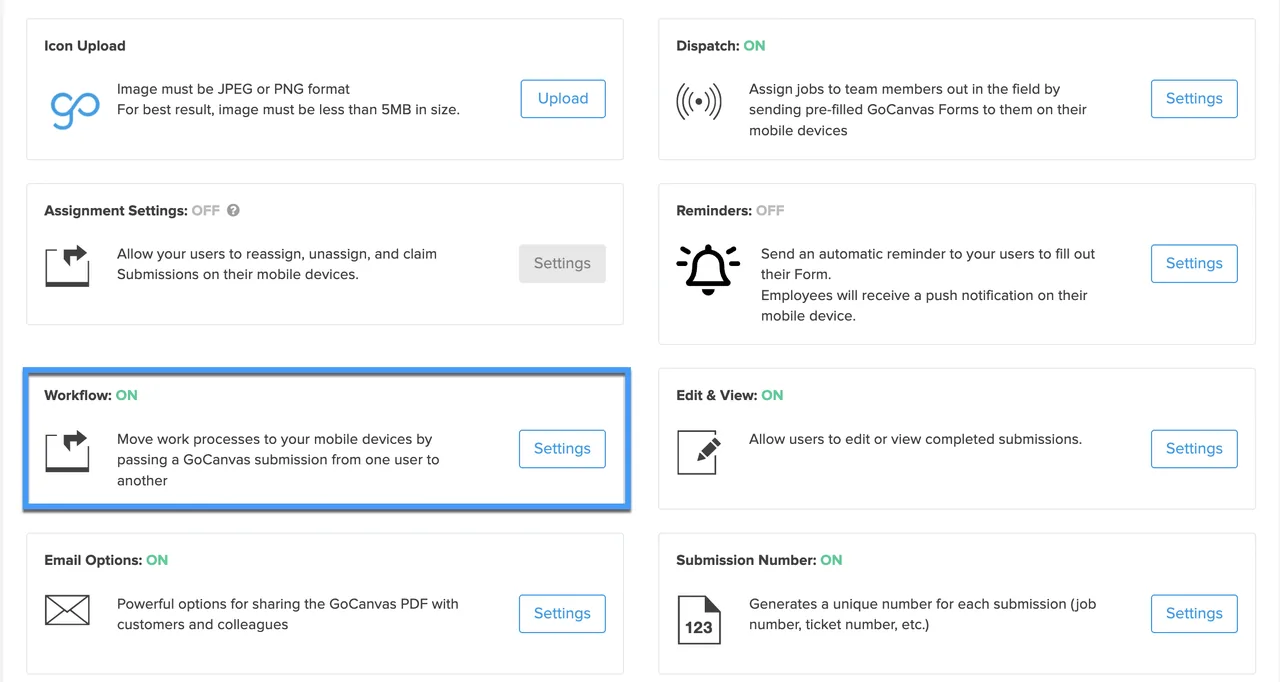
    Multi-user workflow is listed from Pro. Demonstrate the supervisor handoff and reconnection behavior for your process.

    Packages, billing and integration add-ons
    API and custom integrationDepends on scope

    API access is listed from Pro; custom integrations are add-ons. An entitlement does not establish a completed customer interface.

    Packages, billing and integration add-ons
    Reports and live-data scopeDepends on scope

    PDF reports are listed in Essentials; live data sources and reference documents are listed in Max. Confirm the package needed for your form.

    Packages, billing and integration add-ons

    Before you book a demo

    Based on the vendor sources linked below, consulted on . This is a documentation review, not a hands-on test. Fit assessments and demo questions are our editorial interpretation.

    GoCanvas is a configurable digital forms and field-workflow product. Essentials, Pro and Max provide different workflow and integration scope.

    Pricing and product-scope recheck

    : Partial source access.

    Pricing, offline preparation, synchronization and trial sources were accessible. The separate automatic-upload article failed direct retrieval, so this is partial source coverage and platform-specific background timing is not asserted. Published dollar currency remains unconfirmed; obtain a local quote and trial-to-paid feature mapping.

    This targeted recheck does not refresh every claim in the profile. Earlier source dates and any unresolved requirements remain applicable.

    When to consider it

    Teams replacing repeated paper forms with configurable mobile submissions. Offline form entry does not establish disconnected multi-user handoffs. The published three-user annual minimum and add-on services need to be included in the budget.

    Mobile offline capture; synchronization requires connectivity

    Prepared mobile forms support offline completion and upload when connected. The help center recommends syncing before departure and on return. Sync also receives updated forms, reference data and dispatch or workflow assignments. Offline credential validation has a default 24-hour window, configurable by administrators up to 30 days; confirm the approved security setting before a prolonged disconnected shift. Offline entry does not establish an offline handoff to another user.

    Ask the vendor to show you

    1. Complete our form offline and show when the office receives attachments and the final record.
    2. Show the required supervisor handoff and identify which tier licenses every step.
    3. Demonstrate stale reference data, reconnection and a failed integration.
    4. Confirm currency, annual minimum seats, onboarding and integration charges in writing.
    Use the full demo checklist

    Directory listing

    Check current details with the vendor

    Fits All sizes

    Company size coverage

    0+ Industries

    GoCanvas use-cases mapped

    Key Features

    Configurable digital forms
    Offline mobile form entry
    PDF reports and dispatch
    Pro multi-user workflows and API access
    Custom integration and analytics add-ons

    Reasons to shortlist and points to check

    Explicit tier boundaries for workflow features
    Published annual billing and minimum users
    Documented offline-entry and reconnection distinction
    Published dollar display does not explicitly resolve contract currency
    Multi-user workflows and API access are outside Essentials
    Custom integration services are add-ons

    GoCanvas pricing

    Pricing basis

    Custom quote

    Model: Essentials, Pro and Max; confirm contract currency

    Free trial

    The packages page displays Essentials $29, Pro $39 and Max $49 per user/month with annual billing and a three-user minimum, but the retrieved text does not explicitly establish the dollar currency. Request a confirmed local quote including taxes and services. API access and multi-user workflows are listed from Pro; custom integrations and analytics are add-ons. The reviewed signup route advertises a 14-day free trial without a credit card; confirm the route and purchased-tier scope.

    Is GoCanvas worth the price?

    In our editorial judgment, GoCanvas may be worth its quoted price when recurring field forms and the selected workflow tier justify three annually billed users. It is less suitable for a single occasional inspector or when custom integration and live-data needs exceed the agreed budget.

    Editorial assessment based on documented scope, not a measured return on investment. Compare a written proposal with your requirements and pilot results.

    Confirm pricing with the vendor

    Pricing varies by modules, users, and contract length. Always confirm with the vendor.

    See GoCanvas in action

    Request a product demo

    Get Demo

    Evaluate GoCanvas alongside other options

    Start with the same workflow and compare quoted scope, unresolved questions and observed demo results.

    Considering alternatives?

    Free 60-second quiz

    Not sure if GoCanvas is the right fit?

    Take our 60-second quiz and get a free, expert-curated shortlist of the 3 best QHSE platforms for your industry, size, and processes.

    • 3 personalized matches
    • Expert-curated
    • 100% free
    • No signup wall
    Find My Best Match

    Reviews on qhsetech.com (0)

    Be the first to review GoCanvas

    Describe what you used, what worked, and what you would check before buying again.

    Frequently Asked Questions

    Can we buy the published offer for one user?
    The packages page states a three-user minimum and annual billing. Ask the vendor whether a different written offer is available for your team.
    What currency should we use for the budget?
    The retrieved public page displays dollar amounts without explicitly resolving currency. Request a quote that identifies currency, annual seats, taxes, onboarding and add-ons before using a numeric budget.
    What must be prepared before going offline?
    Sync the required forms, reference data and assignments while connected. Also check authentication settings and prove the intended disconnected shift on the actual device.
    Can authentication limit a long offline shift?
    The help center documents a default 24-hour credential validation window and administrator configuration up to 30 days. Agree the setting with your security owner rather than assuming indefinite disconnected access.
    Does synchronization only upload completed work?
    No. The help center also describes receiving form changes, reference data and dispatch or workflow assignments. Include an update-receipt check in the pilot.
    Does Essentials include API access and multi-user workflow?
    The packages page lists those capabilities from Pro. Custom integration services are separate add-ons, so request both entitlement and implementation scope.
    Is a free trial available?
    The reviewed official signup route advertises 14 days without a credit card. Trial access can exceed the purchased tier, so confirm the route and feature mapping before relying on a successful demonstration.
    What happens after a trial expires?
    The help article says previously collected data remains accessible but new collection and adding users stop. Confirm export arrangements and the paid package before using a trial for operational work.
    Is GoCanvas worth the price?
    In our editorial judgment, GoCanvas may be worth its quoted price when recurring field forms and the selected workflow tier justify three annually billed users. It is less suitable for a single occasional inspector or when custom integration and live-data needs exceed the agreed budget.

    Answers use the vendor-source review and its stated scope.

    Interested in GoCanvas?

    Get a personalized demo and see how it fits your organization.

    Book a Demo

    Reasons to evaluate

    • Explicit tier boundaries for workflow features
    • Published annual billing and minimum users
    • Documented offline-entry and reconnection distinction
    Visit Website View Alternatives

    Pricing

    Model: Essentials, Pro and Max; confirm contract currency

    Starting at: Request a scoped quote

    The packages page displays Essentials $29, Pro $39 and Max $49 per user/month with annual billing and a three-user minimum, but the retrieved text does not explicitly establish the dollar currency. Request a confirmed local quote including taxes and services. API access and multi-user workflows are listed from Pro; custom integrations and analytics are add-ons. The reviewed signup route advertises a 14-day free trial without a credit card; confirm the route and purchased-tier scope.

    Supported Processes

    Audit ManagementInspectionsMobile Forms

    Industries

    Company Size

    employees

    Standards and frameworks in the catalog

    Catalog references are not evidence of certification. Confirm the relevant product, certificate holder and scope.